
Zero-Click Search and Google AI Mode: Why Your Traffic Dropped but Your Calls Don't Have To
Short answer: A zero-click search is one where the person gets what they need on Google's results page and never visits a website. The visits most likely to be disappearing are research visits, because those are the questions Google now answers with AI Overviews. "Near me" searches still mostly show the map pack, where people call and ask for directions straight from your Business Profile. So stop judging your marketing by website visits alone. Track calls, direction requests, form leads and visits from AI assistants.

If your website traffic report looks worse than it did a year or two ago, you're not alone. Many owners see visits fall while the phone keeps ringing, and wonder which number to believe. This guide explains which visits zero-click search is taking away, what Google's AI Mode changes, and the four numbers that tell you whether your marketing is working.
What is zero-click search?
It's any Google search that ends without a click to a website. The person reads the answer box, the AI Overview, the map pack or a Business Profile, and either stops there or acts on it: calls, gets directions, or searches again.
For a local business, a zero-click search isn't always a loss. Someone who taps "Call" on your Business Profile never visits your website, but they're exactly the customer you wanted.
What percent of searches are zero click?
The most-cited figure comes from a 2024 SparkToro and Datos study: 58.5% of US Google searches and 59.7% of EU searches ended without a click to the open web. That data predates the wide rollout of AI Overviews, and SparkToro now flags the page as possibly out of date.
Newer studies show AI Overviews push clicks down further:
- Pew Research (2025): in a study of 900 US adults' real Google searches, people clicked a regular result on 8% of visits when an AI summary appeared, against 15% when none did. They clicked a link inside the summary only 1% of the time.
- Ahrefs (February 2026): for keywords that show an AI Overview, the top result's click-through rate was about 58% lower than Ahrefs' forecast without one. That's desktop data, and Ahrefs notes it shows correlation, not proof of cause.
None of these studies looked only at local searches. They tell you the direction, not the exact effect on your business.
Which visits are actually disappearing?
Most likely the research visits, not the "near me" ones. No study here measured lost visits by search type, but AI Overviews show up far more often on questions than on searches for a business, so that's where clicks are most exposed:
| Study | "Near me" or local searches | Question searches |
|---|---|---|
| BrightEdge, Oct 2026 (US desktop) | Map pack on 94.6%, AI Overview on 13.9% | Not measured |
| Whitespark, 2025 (540 searches, 3 US cities) | Map pack on 93%, AI Overview on 15% | AI Overview on 92%, map pack on 6% |
So if your blog posts and "how to" pages used to bring in visits, those are the ones most likely to drop. The searches where someone is ready to hire still lead to the map pack and your Business Profile. Those actions show up as calls and direction requests, not website visits.
That doesn't mean research content is worthless. Pages that answer questions well can be cited inside AI Overviews, which keeps your name in front of people before they're ready to call. Our guide to showing up in Google AI Overviews covers how.
What is Google AI Mode, and does it change anything?
AI Mode is a separate chat-style search tab where Google writes a longer answer and lets people ask follow-up questions. Google started rolling it out to everyone in the US in May 2025, and it reached Canada in English in August 2025.
For local searches, AI Mode can show business listings with ratings and reviews, which appear to come from Google's local data, such as Business Profiles. Google hasn't published how it picks them. Its advice for AI search in general is the same as for regular search: helpful pages, and a Business Profile kept up to date.
How to rank in Google AI Mode
Google says the same basics apply to AI Mode as to regular search, so there's no separate AI Mode SEO. For a local business, that means the same habits that support your map pack ranking and AI Overview visibility: a complete Business Profile, reviews that mention the job and the town, service pages that answer questions plainly, and accurate listings across the web. Google doesn't publish an AI Mode checklist, so none of these is a guarantee.
4 numbers to track instead of website visits
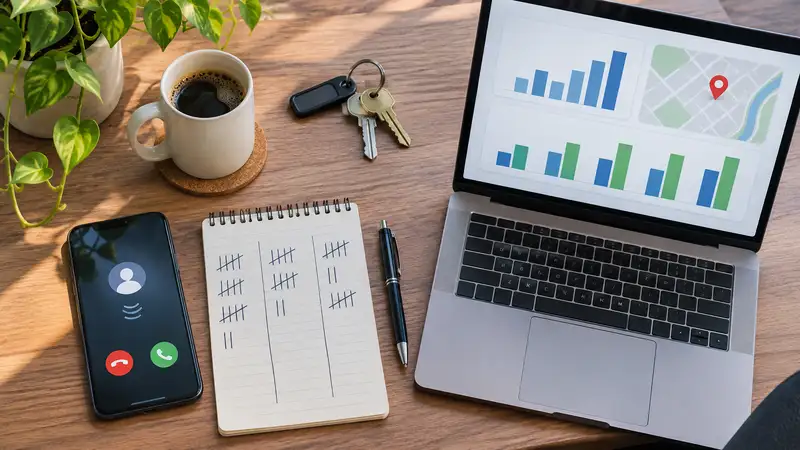
1. Calls from your Business Profile
Your Business Profile Performance report shows how many people tapped the call button. Find your business on Google Search or Maps while signed in to the account that manages it, open Performance, and pick a date range. One limit: it counts taps on the call button, not completed calls. Compare it with your own phone records.
2. Direction requests
The same Performance report shows how many people asked for directions to you. If customers come to your shop, yard or showroom, this is one of the clearest signs that search is working.
3. Form leads and booked jobs
Count contact forms, quote requests and online bookings, not page views. In Google Analytics 4, mark your form's thank-you page or submit event as a key event so it's counted. Then check where those leads came from under Reports, Acquisition, Traffic acquisition.
4. Visits from AI assistants
Google Analytics 4 added an "AI Assistant" channel in May 2026 that groups visits from assistants such as ChatGPT, Gemini and Claude. In the Traffic acquisition report, look for it in the channel list. The numbers are often small for local businesses. A visit means an assistant showed your link and someone clicked it, so it's a useful sign you're being surfaced, not proof of a recommendation. Some AI visits still arrive without a referrer and land in "Direct."
Google says clicks from AI Overviews and AI Mode are counted in the normal Search Console Performance report, with no separate filter. Analytics should usually file them under organic search, but check your own data.
A simple monthly check
- Business Profile: write down calls, direction requests and website clicks for the month.
- Google Analytics: write down form leads, and visits from organic search and the AI Assistant channel.
- Search Console: look at impressions as well as clicks. If impressions hold steady while clicks fall, people are still seeing you on Google, and some may be getting their answer without clicking. Check your calls and leads before drawing a conclusion.
- Your own records: booked jobs and new customers, and where they said they found you. Ask every new caller.
- AI check: ask ChatGPT and Google your top customer questions and see who gets mentioned. Our free AI visibility test walks you through it.
Keep it in one spreadsheet and compare each month with the same month last year. Seasonal trades especially need the year-over-year view.
What to do if your traffic dropped
- Check calls and directions before you panic. If those held steady, the lost visits were probably research visits that weren't turning into many jobs. Check your own lead sources to confirm.
- Put your effort into your Business Profile. That's where "near me" customers act. Our Google Business Profile service covers what to fix.
- Rewrite key pages to answer first. A page that answers a question in its first two sentences is easier for Google to quote, though Google doesn't promise a citation.
- Stop paying for reports that only show traffic. Ask for leads, calls and booked jobs.
Is SEO still worth it if searches don't click?
Yes, but what you measure changes. Being found in the map pack, in AI answers and on review sites still brings customers. Many of them just call or show up without visiting your website first.
Will zero-click searches keep growing?
Most likely, as Google adds more AI answers. That makes your Business Profile, reviews and listings matter more over time, because they're what shows on Google when nobody clicks.
Want a report that shows calls and leads, not just traffic? Yeti Digital Services sets up monthly reporting for local businesses that tracks the numbers above, explains what changed, and pairs it with ongoing SEO work on your Business Profile and website.
Talk to us about monthly SEO reporting or start with a free AI visibility check.
Last updated November 28, 2026. Study figures checked against the linked sources on November 28, 2026. Click studies (SparkToro, Pew, Ahrefs) cover all searches, not just local ones. Search volumes from Google Ads data via DataForSEO.