
Apple Business Connect Is Now Apple Business: How to Get Your Business on Apple Maps and Siri
Short answer: Apple Business Connect was replaced by Apple Business in April 2026, and it's still free. To add your business to Apple Maps, sign up at business.apple.com, verify your organization, then go to Brands > Locations > Add to claim your existing place card or create a new one. For an existing place card, Apple verifies the location by calling the phone number on record. Once it's approved, you control what iPhone users see in Apple Maps, Safari, Spotlight and Siri.
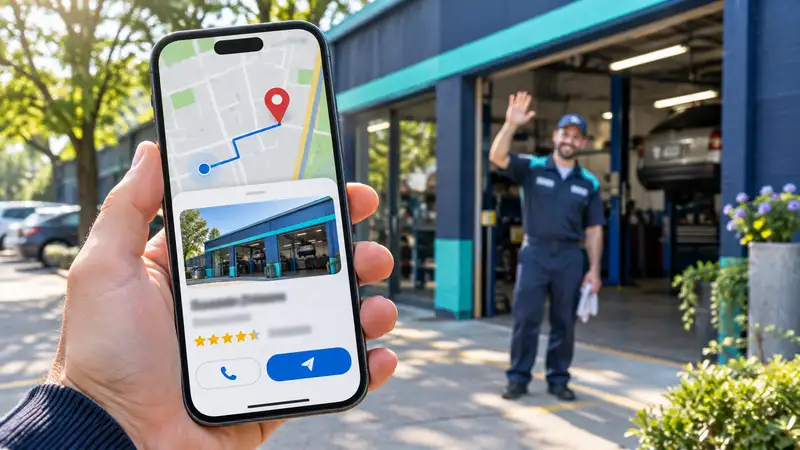
When someone with an iPhone asks Siri for "a mechanic near me" or searches in Apple Maps, the result they see is your Apple place card. Plenty of local businesses have never claimed theirs. That leaves Apple to work from whatever data it can find, sometimes with old hours, a former phone number or a pin in the wrong spot.
Plenty of owners are trying to fix that. "Apple business connect" gets about 18,100 US searches and 1,600 Canadian searches a month in Google Ads data we pulled through DataForSEO. Searches for "how to add business to apple maps" are up 177% from a year ago. The catch: many of the guides those searches turn up still describe Business Connect, which no longer exists under that name.
What happened to Apple Business Connect?
Apple announced Apple Business in March 2026 and launched it on April 14. It combines Business Connect with Apple's device-management and business tools. If you'd already claimed your business in Business Connect, your locations and photos moved over automatically. The old businessconnect.apple.com address now forwards to business.apple.com, and the place card tools sit under Brands > Locations.
For a local business, the core job hasn't changed: claim your place card, keep it accurate and add photos and actions. Managing your brand and locations is free in the US, Canada and more than 200 other countries and regions.
Where your Apple place card shows up
- Apple Maps search results and place cards
- Siri, when someone asks for a business or a type of business nearby
- Safari and Spotlight search on iPhone, iPad and Mac
- Calendar and Messages, when an address or business is mentioned
Apple has also announced ads in Apple Maps for the US and Canada, and only businesses that have claimed their location can run them. Even if you never plan to advertise, an unclaimed place card is a gap a competitor can use.
Before you start: account and paperwork
- The right account. Apple Business works best with an Apple Account for Work (a Managed Apple Account), which you can create during sign-up. If you used a personal Apple Account for Business Connect, you can keep using it, but you'll be limited to brand and location management.
- A real person's name, plus a work email and phone number. Apple doesn't accept a role like "Office Manager" as the account name.
- Two ways to prove your organization is real (see the table below).
- Access to your business phone, because Apple verifies locations by calling the number on the place card.
How to add your business to Apple Maps, step by step
- Sign up at business.apple.com with Sign up now, entering your organization's name, address and website.
- Verify your organization under Settings > Organization > Verify Now. Choose two of the four methods below and send them for review. Apple says this takes up to 5 business days. You have 60 days to finish, or the account and its data are deleted.
- Go to Brands > Locations > Add. Search for your business. If Apple Maps already has a place card for you, select it to claim it. If not, add a new location with your name, address, map pin, primary category, phone and hours.
- Verify the location. For an existing place card, Apple calls the phone number it has on record and you enter the 4-digit code. Phone extensions aren't supported, so the number needs to ring through directly. For a brand-new location, Apple's guide only says your organization must be verified first, so expect a review before it appears.
- Fill in the place card with photos, a logo, hours, a website and actions (more on this below).
You can also start from your phone: search for your business in the Apple Maps app, scroll to the bottom of the place card and tap Claim This Place.
Organization verification options
| Method | What Apple wants | Notes for Canada and the US |
|---|---|---|
| Business ID | A D-U-N-S number or EIN | EINs are US only. A D-U-N-S number is a business ID that Canadian businesses can get free from Dun & Bradstreet, but it can take a while to issue. |
| Domain validation | A TXT record (a short line of text) added where your domain is hosted | The easiest option if you or your web person can log in to your domain registrar. |
| Official documents | Business licence, sales tax permit, lease or utility bill | The name and address must match what you entered exactly. |
| App Store Connect | An existing Apple developer account | Only relevant if your business publishes an app. |
For most trades businesses, the simplest pair is domain validation plus a business licence or utility bill.
Does Apple Business work for service area businesses?
Only partly. Unlike Google and Bing, Apple doesn't document a service-area setting or a way to hide your address. Its guidelines describe the address as the place customers go to get goods or services, and they say it must match the address on your website. That makes Apple the weak spot for contractors.
What that means in practice:
- If you have a shop, yard or office customers can visit, claim it and fill it in completely.
- If you work from home and keep your address private on Google, don't publish your home address on Apple just to get a place card. Skip creating a new place card, and focus on reporting or claiming any wrong one that already exists.
- Either way, make sure no old or wrong place card is sitting on Apple Maps under your business name. If there is one, report it from the Maps app.
What to add to your place card

- Logo and cover photo: both are reviewed by Apple. Use the same logo as on your Google Business Profile and website.
- Categories: one primary category and up to 19 more. Match your primary category to the main category on your Google Business Profile.
- Hours: regular, holiday and temporary hours. Set holiday hours ahead of time so customers don't show up to a locked door.
- Photos: real photos of your work, storefront, vehicles and team. Skip stock images.
- Actions: buttons such as call, website, book or order that link straight to your booking page or website.
- Showcases: short promotions that appear on your place card. You can run up to five at a time for up to 365 days each (90 by default), with a 38-character heading and 120-character body. Apple approves each one within about three days. Use them for seasonal offers like furnace tune-ups or spring A/C checks.
Apple Business also offers Branded Mail, which shows your logo next to emails you send to Apple Mail users. It needs email at your own domain with standard email authentication set up, so ask whoever manages your email.
Apple Business insights: what you can track
Once your location is verified, insights show how many people found your place card through searches for your name, your category or other terms. They also show how many viewed it and what they tapped: directions, website, call, share, photos and showcases. You can even see where direction requests came from, which is a useful check on whether your service area matches where customers actually are. Small numbers below Apple's privacy threshold show as zero.
Common problems and how to fix them
- Apple is calling the wrong phone number. If the number on your place card is old, you can't pass the phone check. Contact Apple Business support to update it first.
- Someone else already manages the location. Use Request Transfer and attach proof that you own the business. Apple reviews transfers within about 5 business days.
- "Updates Available" on your location. A customer reported a change, such as your hours or name. Accept it with Looks Good or enter the correct value to dispute it.
- Verification emails never arrive. Make sure your email allows mail from apple.com domains, and check your spam folder.
- Organization verification expired. You get 60 days. If you miss it, the account is deleted and you start over.
Is Apple Business Connect still free?
Yes. Apple Business, which replaced Business Connect, is free for managing your brand and locations. Apple charges only for optional extras such as iCloud storage, AppleCare+ for Business and ads on Apple Maps.
How long does it take to get on Apple Maps?
Organization verification takes up to 5 business days, sometimes longer when Apple is busy. Phone verification of a location happens during Apple's call, when you enter the code. Showcases take up to three days to approve, and logo reviews for Branded Mail can take up to seven business days.
Is Apple Business available in Canada?
Yes. Managing your brand and locations, Branded Mail, Tap to Pay on iPhone and ads on Apple Maps are all listed as available in Canada. Apple's business email, calendar and iCloud storage add-ons are US only for now.
Apple Maps is one listing in a set that also includes Google, Bing and the new ChatGPT Business Hub. If you haven't set those up, start with our guides to Bing Places for Business and claiming your business in ChatGPT.
Want every map and AI listing to say the same thing? Yeti Digital Services sets up Apple Business, Bing Places and ChatGPT Business Hub for contractors and local businesses in Canada and the US, and keeps all of them matched to your Google Business Profile.
Book a free AI visibility check or see our Google Business Profile service.
Last updated November 28, 2026. Steps checked against Apple's Apple Business user guide and newsroom on November 28, 2026. Search figures are Google Ads monthly averages pulled through DataForSEO in November 2026. Apple changes menus and feature availability by country, so check the Apple Business user guide before you start.