
Bing Places for Business: The 2026 Setup Guide (and What It Really Does for AI Search)
Short answer: Bing Places for Business is Microsoft's free listing for local businesses. It controls how you show up in Bing search and Bing Maps. The fastest way to set it up is to go to bing.com/forbusiness, sign in, and choose Import from your Google Business Profile. If your Google profile is already verified, your Bing listing is verified automatically and usually goes live within 7 to 12 days.
Most contractors set up their Google Business Profile years ago and never thought about Bing. That's understandable, since Google gets most of the searches. But Bing is still the default search engine in Microsoft Edge and Windows, and it's the search engine behind Microsoft Copilot. Setting up Bing Places for Business takes about 15 minutes of work if you import from Google, then 7 to 12 days to go live, and it costs nothing.
Plenty of owners are looking for help with it: "bing places for business" averages 4,400 US searches a month and 590 in Canada, according to Google Ads data we pulled through DataForSEO.
You'll also see claims that Bing Places is "how you get into ChatGPT." We'll cover what's actually confirmed about that further down, because the honest answer isn't what a lot of agencies are selling.
What is Bing Places for Business?
Bing Places is Microsoft's version of Google Business Profile: a free dashboard where you manage your business name, address, phone number, hours, categories, photos and website for Bing. Microsoft relaunched it in October 2025 with a new dashboard, bulk editing, real-time status and a faster Google import. The old bingplaces.com address now forwards to bing.com/forbusiness.
Your listing feeds Bing search results and Bing Maps. Bing also blends in data from other sources such as Yelp and TripAdvisor. Bing Places is the source you control, and Microsoft's help pages say Bing prefers it over other sources as long as you keep it up to date.
Bing Places for Business login: which account to use
You can sign in with a Google account, Facebook account, personal Microsoft account or work Microsoft account. Pick one and stick with it. Your listings are tied to the login you used, so signing in later with a different account is the number one reason people "lose" their listing or get a verification PIN that doesn't work.
If you plan to import from Google, signing in with the same Google account that manages your Business Profile keeps things simple.
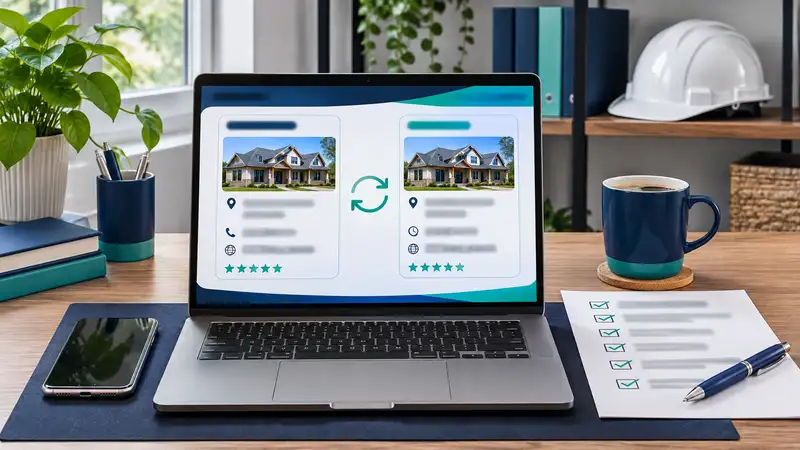
Option 1: Import from Google Business Profile (fastest)
- Go to bing.com/forbusiness and sign in.
- Choose Import from your Google Business Profile.
- Pick how often Bing should sync with Google: weekly, every two weeks or monthly.
- Sign in to the Google account that manages your profile and allow access.
- Review the listings Bing finds and import them.
A few things to know before you click import:
- Verified on Google means verified on Bing. Listings already verified in Google Business Profile skip Bing's verification step.
- You can't pick and choose. Bing imports every listing it finds in that Google account. If an agency account holds other businesses' profiles, use the owner's account instead.
- Edits happen in Google. Once a listing is linked, you edit it in Google Business Profile and it syncs to Bing. You can't edit those fields directly in Bing Places.
- Check categories afterwards. Categories don't always map exactly between Google and Bing, so review the primary category once the import finishes.
- Watch for duplicates. If you already had a Bing listing, the import can create a second one. See the troubleshooting section below.
Option 2: Add your business to Bing manually
Use this if you don't have a Google Business Profile, or you'd rather manage Bing separately.
- Sign in at bing.com/forbusiness, choose your country, and search for your business.
- If Bing already has a listing for you, claim it. If not, choose Create a new business.
- Fill in your name, address, phone, website, hours, categories (up to 10, with one primary) and photos (up to 100).
- Verify the listing with a PIN (see below). Changes don't go live until you do.
Use your real business name, exactly as it appears on your signage and registration. Bing rejects names stuffed with keywords ("Smith Plumbing Best Plumber Calgary"), and basic details are checked automatically against other sources before they're accepted.
How to verify your business on Bing Places
| Method | How it works | Good to know |
|---|---|---|
| Phone call or text | A PIN is sent to the business phone on the listing | Only offered if the listing already has an unedited business phone number |
| A 6-digit PIN is sent to your account email | If the PIN doesn't work, someone else (often an old agency) may have started verification from another account | |
| Postcard | A PIN is mailed to the business address | Usually 5 to 6 business days in the US, but allow up to 12 before contacting support |
Not every method is offered for every listing. After verification, listings in North America usually publish within 7 to 12 days. Every edit you make while you wait resets that clock, so make your changes in one sitting.
Service area businesses: hiding your address
If you go to your customers, like most plumbers, electricians, roofers and cleaners, you can hide your address on Bing. Enter your full address and a category first, then add service areas (cities, regions or ZIP and postal codes, up to 20). Bing still uses your address privately for verification, but the public listing only shows your city and service areas.
Bing doesn't accept PO boxes or mailing-only addresses. If your business has moved, Microsoft's advice is to mark the old listing as closed and create a new one rather than overwriting the old address.
Does ChatGPT use Bing (and Bing Places)?
Not in any way that's been confirmed for local results. ChatGPT search sometimes uses outside search partners, including Bing, but neither OpenAI nor Microsoft says Bing Places listings feed ChatGPT's local recommendations. Here's the detail:
- Confirmed: OpenAI says ChatGPT search "sometimes partners with other search providers," and its Enterprise documentation says some searches can go to Bing.
- Not confirmed: neither OpenAI nor Microsoft has said that Bing Places listings feed ChatGPT's local recommendations. OpenAI doesn't name its maps or local business data providers at all.
- Independent evidence: a 2026 study of how ChatGPT retrieves information found its local answers drawing on sources such as Yelp, TripAdvisor and Google Maps, and didn't find Bing Places among them.
So should you still set it up? Yes, for these reasons:
- Bing and Copilot are real traffic sources. Bing search and Bing Maps use your listing, and Microsoft's Copilot answers questions by searching Bing. Microsoft has also announced deeper Copilot and Maps integration for Bing Places.
- Consistency matters everywhere. AI assistants build their picture of your business by comparing sources. One more accurate, verified listing that matches Google makes the whole picture more reliable.
- It's free and takes 15 minutes. Few marketing jobs pay back that fast.
If ChatGPT specifically is your concern, claim your listing in OpenAI's new Business Hub too. Our ChatGPT Business Hub guide walks through it step by step.
Common Bing Places problems and how to fix them
- Listing marked "Duplicate." The edit panel is locked. Find the published version of your listing and claim it, or ask whoever owns that account to give you access. Using one login and keeping your name, address and phone identical everywhere prevents most duplicates.
- Stuck on "Pending publish." Wait the full 12 days without editing, because every edit resets the clock. After that, contact support through the form at bing.com/forbusiness/contactSupport. Bing has no public phone line.
- Postcard never arrived. Check with your local post office, then contact support after 12 business days.
- No phone verification option. This usually means the phone number on the listing was edited or is missing. Use email or postcard instead.
- Listings disappeared after the 2025 redesign. Sign in with every account you might have used (Google, Facebook, Microsoft). The listing is usually under a different login.
- Old listing for a closed location. Mark it as closed. Closed listings fade from search and drop off after about six months.
Is Bing Places for Business free?
Yes. Creating, verifying and managing a Bing Places listing is free. Microsoft Advertising is a separate, paid product, and you don't need it to have a listing.
How long does Bing Places take to publish a listing?
For North America, Microsoft says listings usually publish 7 to 12 days after verification. A postcard PIN can add up to 12 business days before that, so the worst case is roughly a month from start to finish. Editing the listing during the wait resets the timeline.
Is Bing Places available in Canada?
Yes. Canada and the US are both supported, and the Google import, verification and service-area features work the same in both countries.
Rather not deal with PINs, postcards and pending listings? Yeti Digital Services sets up and cleans up Bing Places, Apple Business and ChatGPT Business Hub listings for contractors and local businesses in Canada and the US, so they all match your Google Business Profile.
Book a free AI visibility check or see our Google Business Profile service.
Last updated November 28, 2026. Steps checked against Microsoft's Bing Places help pages on November 28, 2026. Search figures are Google Ads monthly averages pulled through DataForSEO in November 2026. Next in this series: getting your business on Apple Maps with Apple Business.