
Why Was My Google Business Profile Suspended? 12 Common Causes and How to Get Reinstated
Short answer: Most Google Business Profile suspensions come from a mismatch between your profile and Google's guidelines: an address Google can't verify, extra keywords in your business name, a duplicate listing, or a burst of edits that looks suspicious. Find the cause, fix it on the profile first, then appeal once through Google's appeals tool with documents that match your profile exactly.

If your Google Business Profile was suspended this morning, your phone probably went quiet at the same time. For a contractor or local service business, the profile is often the biggest source of calls, so every day it stays down costs real money. The good news: most suspensions trace back to a short list of causes, and most of them can be fixed.
This guide covers what a suspension actually means, the 12 causes we see most often, how to find out which one hit you, and how the appeal works for businesses in Canada and the US. You are not alone, either: in Google Ads data we pulled through DataForSEO, US searches for "google business profile suspended" average 320 a month and jumped to 880 in March 2026.
What does it mean when a Google Business Profile is suspended?
A suspension means Google has restricted your profile because it believes something on it, or on the account that manages it, breaks its rules. Depending on the case, the profile may disappear from Search and Maps entirely, or stay visible while you lose the ability to manage it.
Google's own help article, Fix suspended or disabled profiles, says it may "suspend or disable" profiles that don't follow its guidelines, but it doesn't explain the difference between the two words. The local search team at Whitespark has written about this exact confusion between unverified, disabled and suspended profiles. In practice, the label matters less than the reason Google gives you in the appeals tool.
There is one distinction that does matter. If your Google account is restricted, Google's help page says every Business Profile that account manages is suspended, and you can't create or claim new ones. You have to clear the account restriction first, and only then can you appeal the profile itself.
What are the most common reasons a Google Business Profile gets suspended?
The most common reasons are address problems, keyword stuffing in the business name, duplicate listings, wrong categories and suspicious editing activity. Google rarely spells out the exact trigger, so the table below lists the 12 causes we check first on every reinstatement, what Google sees, and what to fix.
| # | Cause | What Google sees | What to fix before you appeal |
|---|---|---|---|
| 1 | Address Google can't verify | A virtual office, PO box, mailbox store, coworking desk or home address with no proof you operate there | Use a real location you staff, or switch to a service area business |
| 2 | Service area business showing its address | A business that goes to customers but lists a street address as if customers visit | Hide the address and set service areas by city or region |
| 3 | Keywords in the business name | "Smith Plumbing Calgary Best Emergency Plumber" instead of "Smith Plumbing" | Use your exact legal or signage name, nothing added |
| 4 | Duplicate profiles | Two or more profiles for the same business at the same place, often created after an earlier suspension | Remove or merge duplicates; never create a new one to replace a suspended one |
| 5 | Wrong or overly broad categories | Categories for services you don't really offer, chosen to rank for more searches | Keep a primary category that describes the core business and only true secondary ones |
| 6 | Too many edits, too fast | Name, address, phone, category and hours all changed in a short window | Stop editing; make future changes in one clean pass |
| 7 | Ownership or manager changes | New owners or managers added, especially from unrelated or new Google accounts | Remove managers you don't recognise and keep ownership with the business owner |
| 8 | Review policy problems | Paid, incentivised, gated or fake reviews | Stop the practice; ask every real customer the same way |
| 9 | Website or phone mismatch | A website or number that belongs to a lead broker, another business, or doesn't match the name on the profile | Link your own site and a phone number answered by your business |
| 10 | Ineligible business type | Online-only businesses, rentals, or businesses without in-person contact with customers | Confirm the business is eligible before appealing |
| 11 | Google account restricted | A policy problem on the account that manages the profile | Resolve the account restriction first through My accounts |
| 12 | "Deceptive content" flag | Information Google thinks misrepresents the business: wrong hours, unverifiable claims, a name that doesn't match signage or registration | Make every detail match your registration, signage and website |
Several of these overlap. Birdeye's write-up on Google Business Profile suspensions lists fake or virtual office addresses, duplicate listings and keyword stuffing among the most common triggers of a hard suspension, and Whitespark's guide to recovering from a GBP suspension includes making too many edits too fast. For reviews, Google's Business Profile restrictions for policy violations page covers its fake engagement policy.
Why contractors get hit more often
Trades and home service businesses run into causes 1, 2 and 3 more than most. Many work from a home office or a shop customers never visit, and many were told years ago to put their city and main service in the business name. Both used to work. Both now put the profile at risk.
How do I find out why my profile was suspended?
Open Google's Business Profile appeals tool while signed in to the account that manages the profile. According to Google's help page, the tool shows the decision, its date, the reason, a link to the policy involved, and whether it can be appealed.
That reason is your starting point, but it is often broad, such as "misrepresentation" or "deceptive content." Read the linked policy, then go through the 12 causes above and look for anything that matches. If more than one applies, fix all of them before you appeal.
How do I get my Google Business Profile reinstated?
Fix the problem on the profile, gather documents that prove the business is real and matches the profile, then submit one appeal through the appeals tool. Google reviews the appeal and emails you the decision.
Step by step
- Check the account first. If your Google account is restricted, clear that before anything else, since profile appeals can't move until it is resolved.
- Read the reason in the appeals tool and the policy it links to.
- Fix the cause on the profile. Correct the name, hide the address for a service area business, remove duplicates, clean up categories. Do it in one pass.
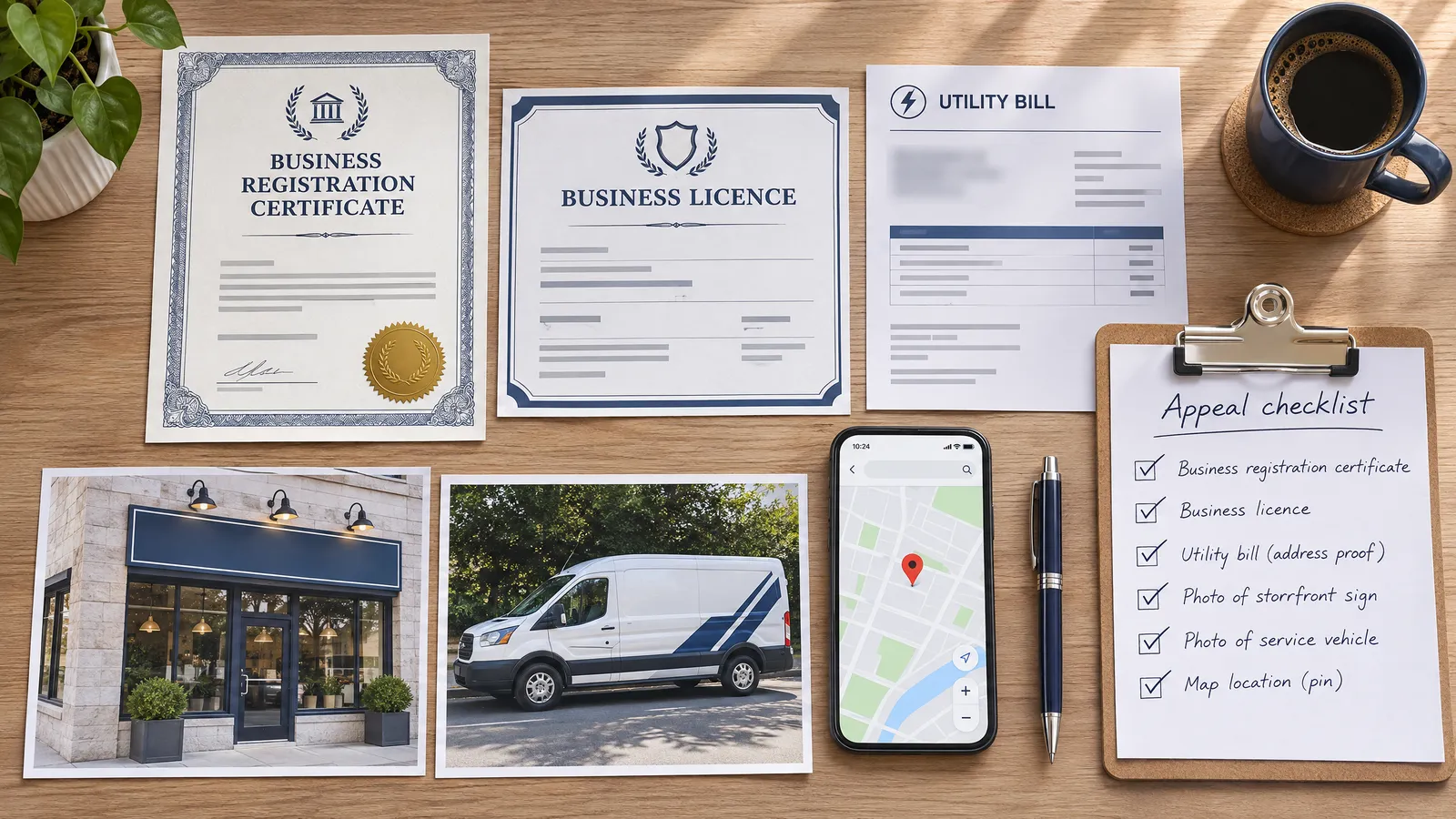
- Gather evidence. Google lists official business registration, a business licence, tax certificates and utility bills, and says the name and address on each document should match the profile.
- Submit the appeal once. Google's help page says each appeal can only be submitted once, so don't send a thin appeal to "test" it.
- Wait for the email, and don't make more edits while the appeal is under review.
- If it's denied, Google says you may be able to request an additional review and add evidence that wasn't in the first appeal.
What documents does Google accept for an appeal in Canada and the US?
Google asks for proof that the business exists and operates under the name and address on the profile: registration, licences, tax certificates and utility bills. The exact document depends on where you are registered, so match each one to your country and province or state.
For Canadian businesses, that usually means your provincial registration or articles of incorporation, your CRA business number confirmation, a municipal business licence, and a recent utility or phone bill in the business name. For US businesses, it usually means your state business registration, your IRS EIN confirmation letter, a city or county business licence, and a utility bill. Photos of permanent signage, a branded vehicle and your trade licence help when the issue is whether the business is real.
Every document should show the same business name and, for a storefront, the same address that appears on the profile. A mismatch between the profile and the documents is one of the most common reasons an appeal fails.
How long does Google Business Profile reinstatement take?
Google's main English help page doesn't commit to a timeline; it says only that Google will review the appeal and email you. Some versions of the same help page say most requests are reviewed and cleared within 3 to 5 days, and the UK version says to contact Google if more than three working days have passed.
Simple cases, where the fix is clear and the documents match, are often decided within a week. Cases involving account restrictions, duplicates or a denied first appeal can take several weeks. Nobody can guarantee a result or a date, including us.
Why does my Google Business Profile keep getting suspended?
Repeat suspensions almost always mean the original cause was never fixed, or a new edit triggered the same review. The most common pattern is a service area business that gets reinstated, then re-adds its street address or city keywords a few months later.
Once you're reinstated, treat the profile as something to change rarely and carefully. Make edits in one clean pass rather than a little at a time, keep managers to people you know, and check every change against your signage, registration and website.
Should I create a new Google Business Profile after a suspension?
No. Google's help page says plainly not to create a new Business Profile for the same business, and a second profile can turn a fixable suspension into a duplicate problem that is harder to undo.
A new profile also starts with zero reviews. Reinstating the original keeps your review history, which is one of the most valuable things on the listing.
What we found when we audited our own profile
When we audited Yeti's own Google Business Profile in November 2026, we found two of the risks on this list. Our Grande Prairie address was showing as a place clients could visit, even though we work with clients by phone and video, and the profile listed services we don't offer, such as fitness classes and vehicle maintenance. We hid the address, set a service area and rebuilt the service list in one pass, which is exactly what we recommend to clients. If a suspension specialist can find risks on its own listing, most businesses have at least one.
Profile suspended right now? Yeti Digital Services handles Google Business Profile reinstatement for businesses in Canada and the US for a flat $200 CAD, including a second appeal if one is needed. We bill in Canadian dollars, so US clients pay less than the listed number. We can't promise Google's decision, but we can make sure your fix and your appeal are right the first time.
Last updated November 24, 2026. Search figures are Google Ads monthly averages pulled through DataForSEO on that date. Google's policies and appeal process change, so check the linked Google help pages before you submit.