
ChatGPT Has the Wrong Information About My Business: How to Fix It
Short answer: ChatGPT wrong information about a business usually comes from somewhere else: an old directory listing, an outdated page on your own site, a review site, or a business with a similar name. Sometimes ChatGPT also just guesses. There's no form to edit a ChatGPT answer directly, though US businesses can claim a ChatGPT Business Hub listing. Find where the wrong fact lives, correct it there and everywhere else your business is listed, report the bad answer with the thumbs-down button, and test again in a few weeks.

Business owners and staff keep running into this. On r/ChatGPT, one person complained that ChatGPT acts as if it knows the company they work at, and gets the details wrong. Old phone numbers, the wrong hours, services you stopped offering years ago, or an address you moved out of: when an AI assistant says it confidently, some customers will believe it.
The good news is that you can usually trace the mistake and fix it. This guide shows how, with a facts table you can fill in once and use everywhere.
Why does ChatGPT get business details wrong?
ChatGPT answers from two places: what it learned in training, which can be months or years old, and, when it searches the web, the pages and listings it finds right then. OpenAI says ChatGPT may search automatically when a question needs current information, and shows its sources when it does.
Either way, it mostly reflects what the web says about you, and when it can't find much, it can guess. The common causes:
- Old or conflicting listings. If your website, Yelp and an old directory each show different hours or phone numbers, ChatGPT may pick the wrong one.
- Outdated pages on your own site. A forgotten "Contact" page, an old PDF price list or a page for a service you dropped.
- Old training data. If you moved or rebranded recently, the model may remember the old version until it searches.
- A business with a similar name. Two companies called "ABC Plumbing" in different towns can get mixed up.
- Made-up details. OpenAI says ChatGPT can produce incorrect answers. For a small business with little online, it may fill gaps with a plausible guess that no website actually says.
It's a widespread problem. In SOCi's 2026 Local Visibility Index, business details given by ChatGPT and Perplexity were accurate about 68% of the time, while Gemini, which draws on Google Maps, scored 100%. That study looked at large multi-location brands, so treat it as a sign of the problem, not a figure for your business.
Step 1: Record exactly what ChatGPT says
Ask the question a customer would ask, like "What are the hours for [your business] in [town]?" or "Who's a good roofer in [town]?" Take a screenshot. Then ask ChatGPT to search the web for the answer and click "Sources" to see which sites it used. Try it two or three times, because answers vary from one chat to the next.
Step 2: Find where the wrong fact comes from
If ChatGPT showed sources, start there. If not, search Google for the wrong detail in quotation marks, such as your old phone number, and note every site that still shows it. Check these first:
- Your own website, including old pages, footers and PDFs
- Google Business Profile, Bing Places and Apple Maps
- Yelp, Facebook, BBB and the review sites in your trade
- Online directories (in Canada, also YellowPages.ca and Canada411)
If the wrong detail shows up nowhere, ChatGPT probably guessed. Report it (see below), make sure the correct detail is clear on your website and main listings, and re-test.
Step 3: Fill in your business facts table
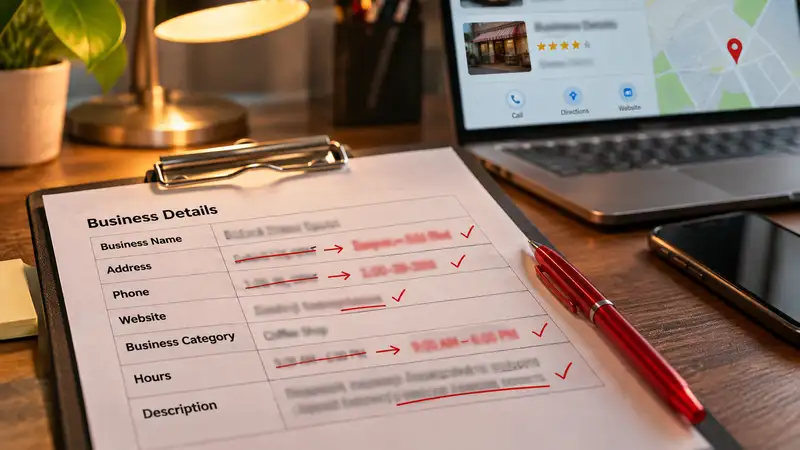
Before you fix anything, write down the correct version of every detail once. Then copy from it every time, so every listing matches word for word.
| Fact | Correct value (fill in) | Where to check it |
|---|---|---|
| Business name | Exactly as on your sign and invoices | All listings |
| Address or service area | Street address, or the towns you serve | Google, Bing, Apple, directories |
| Main phone number | One number used everywhere | All listings, website header and footer |
| Website | The full address of your homepage | All listings |
| Hours | Regular hours, plus holiday and emergency hours | Google, Bing, Apple, Facebook, website |
| Main category | The one that best describes your work | Google, Bing, Apple, Yelp |
| Services | What you do, and what you don't | Website service pages, Google services list |
| Short description | Two sentences: who you are, what you do, where | Every listing that has a description field |
| Year founded and owner | Only if you're happy to share them | Website About page |
Step 4: Fix it at the source
Work from the most important source down:
- Your website. Update the contact page, footer, service pages and About page. Delete or redirect pages for services you no longer offer. This is the source you fully control.
- Google Business Profile. Edit your profile from Google Search or Maps. Google reviews changes before they go live. If you've moved, see our guide to changing your business address on Google.
- Bing Places. Microsoft Copilot searches Bing, so claim and correct your listing. Our Bing Places setup guide walks through it.
- Apple Maps. Claim your place in Apple Business (formerly Apple Business Connect) and update it. Our Apple Business guide covers the steps. If you contest a change Apple made to your listing, Apple says its review can take up to five business days.
- Yelp, Facebook and directories. Claim and correct each one the search in Step 2 turned up. Ask the site to remove duplicate listings.
- ChatGPT Business Hub (US businesses). OpenAI's Business Hub lets verified owners edit their website, description, category and logo. OpenAI reviews changes before publishing them. For now, local businesses can only claim US listings. If you're in Canada, you can't claim one yet, so the fixes above are your route. Our Business Hub guide explains how to claim yours.
Can you report ChatGPT wrong information to OpenAI?
Yes, but it won't fix the answer on its own. Under the wrong answer, click the thumbs-down button and say what's wrong. OpenAI says ChatGPT can produce incorrect answers and asks people to report them this way. For something more serious, like a false claim that harms your reputation, the thumbs-down menu also has a safety or legal option, and OpenAI has a content reporting page.
Other assistants have similar report options (menu names change often, so look for a thumbs-down, flag or report button). Reporting won't fix the source either:
- Google AI Overviews: thumbs-down under the overview, then "Report a problem" (Google's steps).
- Gemini: "Bad response" under the answer.
- Perplexity: the three-dot menu under the answer, then "Report."
- Microsoft Copilot: thumbs-down, then describe the problem.
Step 5: Test again
Nobody outside OpenAI knows how often ChatGPT refreshes what it knows about a business. Re-ask the same questions two to four weeks after your fixes, with web search on, and check the sources again. That's a sensible starting point, not a promise: it can take longer. If the wrong fact is still there, the sources may show you which listing you missed. After that, a quick check once a month is enough. Our free AI visibility test gives you a simple way to do it.
How to stop it happening again
SEO people call this entity SEO: making sure every site describes your business the same way, so search engines and AI tools are confident who you are. In practice:
- Change things everywhere at once. When you move, change your number or update hours, work through your facts table and update every listing the same week.
- Keep your own website the most complete source. A 2025 Yext study of 6.8 million AI citations found 44% came from businesses' own websites and 42% from listings.
- Get mentioned on trusted sites. AI citations often point to review sites, local news and industry directories. Accurate mentions there can help AI tools describe you correctly, and they're one way to get cited by AI.
Is it worth suing or contacting a lawyer?
For ordinary mistakes like old hours or a wrong phone number, no. Fixing the sources is usually faster, and it can help across AI tools because they often draw on the same listings. If an AI tool repeats a false and damaging claim about your business, report it through the safety or legal option and get legal advice.
Want someone to clean it up for you? Yeti Digital Services finds where the wrong details about your business are coming from, fixes your website, Google, Bing and Apple listings and the directories that matter, and re-tests ChatGPT and other assistants afterwards.
Last updated November 28, 2026. OpenAI, Google and Apple help pages checked on November 28, 2026; menus and options change often. The SOCi figure covers multi-location brands. Search volumes from Google Ads data via DataForSEO.